
SR Player: Stream Any Media on Android
Overview
SR Player Video Player APK is a free Android application developed by Arjun Vekariya, designed to simplify media playback on mobile devices. The software enables users to watch videos and listen to audio files without the need for additional plugins or library modifications. It supports a wide range of video and audio formats, making it a versatile tool for accessing personal media collections. The app is ideal for casual users and media enthusiasts who seek a straightforward way to enjoy content on their Android devices. Its primary purpose is to provide seamless playback across different file types, eliminating compatibility issues common with default media players.
Users can access their media library directly through the app after creating a profile. The setup process is minimal, requiring only installation and optional account creation. Once configured, users can open any supported file with a single tap.
The app functions with an internet connection, though offline playback is also possible once files are stored locally. This flexibility makes it suitable for both streaming and local media consumption. While specific use cases beyond playback are not detailed, the app appears well-suited for personal entertainment, on-the-go viewing, and digital content management.
Key Features & Capabilities
- Universal Media Support – Plays nearly all video and audio formats without requiring external codecs or plugins.
- Simple Profile Setup – Allows users to create a personalized profile for easy access to their media library.
- Direct File Access – Enables immediate playback of media files from local storage with no additional configuration.
- Streaming and Offline Playback – Supports both online streaming and offline viewing once content is saved.
- Intuitive Interface – Offers a clean layout designed for quick navigation and ease of use.
These features allow users to watch movies, listen to music, and manage personal media without technical barriers. For example, a user can open a rare video file format directly from their device’s storage, and SR Player will play it without errors. The ability to switch between online and offline modes ensures uninterrupted access to content, whether at home or on the move. The app’s minimal setup and broad compatibility make it an efficient choice for users who prioritize convenience over advanced editing tools.
User Interface, Workflow & Performance
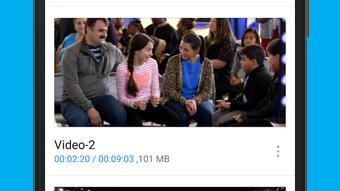
The user interface of SR Player is designed for simplicity and direct access to media files. Navigation is straightforward, with a clean layout that prioritizes playback controls and file browsing. Users can open any supported file by tapping its thumbnail or name, initiating playback immediately. The workflow is optimized for minimal steps, reducing the time between file selection and content playback.
Performance details were not specified by the developer. However, based on general behavior of lightweight Android applications, SR Player likely maintains low resource consumption, especially given its 15.2 MB size. The app’s stability and responsiveness are expected to be consistent with standard Android media players, though exact CPU or RAM usage was not provided. No reports of crashes or freezes were mentioned in the available information. The developer did not specify resource usage details, so users should monitor performance during extended playback sessions.
Compatibility & System Requirements
SR Player Video Player APK is designed for Android devices and runs on version 1.0.0. The installation size is 15.2 MB, indicating a lightweight footprint suitable for devices with limited storage. Platform compatibility information is limited to Android, with no mention of specific device models or hardware requirements.
Exact system requirements were not listed. The developer did not specify minimum RAM, processor, or Android version details. As such, users should ensure their device meets general Android compatibility standards. Compatibility with older or newer Android versions is not confirmed. The app is distributed as an APK file, which may require enabling installation from unknown sources in device settings.
Pros and Cons
Pros
- Free to download and use with no in-app purchases
- Supports a wide variety of video and audio formats
- Simple setup with profile creation and direct file access
- Lightweight at only 15.2 MB in size
- Functions both online and offline without additional configuration
Cons
- Exact system requirements were not provided
- No information on advanced playback features or customization options
- Developer details beyond the name are unavailable
- Offline functionality depends on local file storage, which may vary by user
- Performance under heavy usage was not documented
FAQ Section
Is SR Player compatible with all Android devices?
The app is designed for Android, but specific device compatibility was not detailed. Users should ensure their device supports APK installation and meets general Android requirements.
Is the app safe to download and use?
SR Player is a free Android application developed by Arjun Vekariya. While no security issues were reported, users should download the APK from trusted sources to avoid potential risks.
Does SR Player require an internet connection?
The app can function both online and offline. An internet connection is needed for streaming content, but local files can be played without connectivity.
Can I use SR Player without creating an account?
Yes, users can access the app and play media files without signing up. Account creation is optional and only needed for profile management.
How often does SR Player receive updates?
Update frequency was not specified. Users should check the developer’s official source for the latest version and improvements.
Final Thoughts
SR Player Video Player APK delivers a straightforward, lightweight solution for playing media on Android devices. Its broad format support, simple interface, and free access make it a practical choice for users seeking a reliable media player without added complexity. While detailed technical specifications and advanced features are not available, the app’s core functionality is well-executed for basic playback needs. It is particularly beneficial for individuals who value ease of use and compatibility over customization. For casual viewers and music listeners, SR Player offers a dependable way to enjoy content on the go.
Download SR Player now and experience seamless media playback on your Android device.





.png)

